
Members and onboarding
Create, view and update member profiles, optional safety details, fitness information and consents.
SeineSoft Gym Management System
A connected workspace for your gym business. Welcome members, sell subscriptions, collect payments and coordinate attendance, classes and fitness programmes without jumping between disconnected records.
 Seine Gym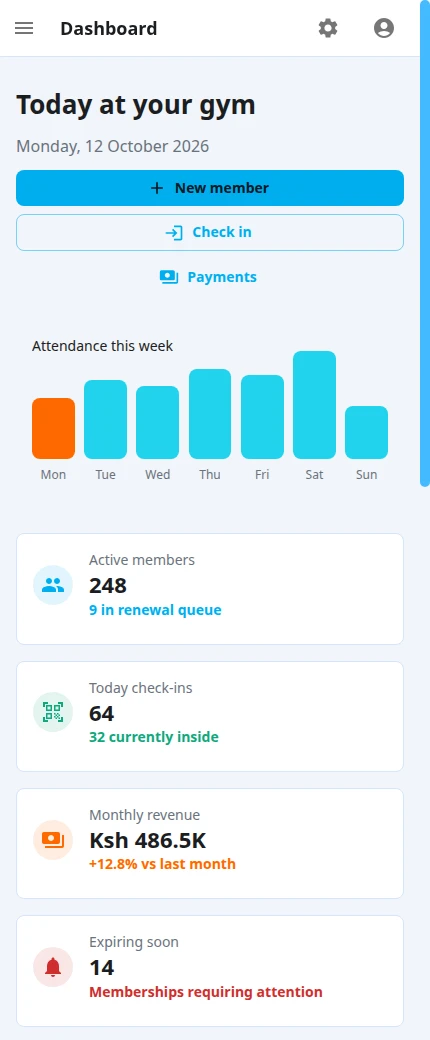
Membership health, attendance, recent activity and today's classes in one workspace.
Seine Gym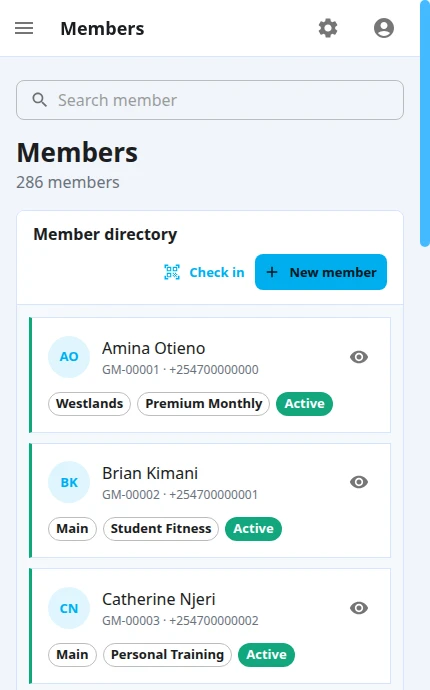
A searchable directory on desktop. Clear member cards on your phone.
Seine Gym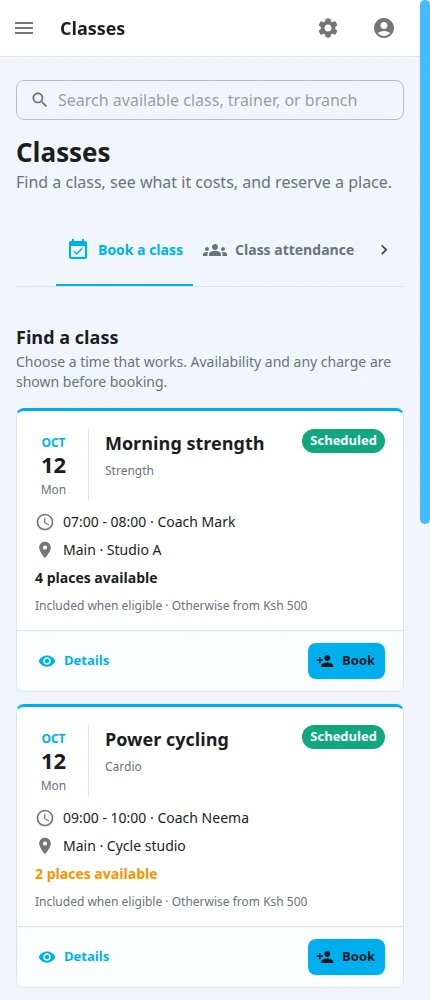
See trainers, venues, session times and available places without losing the big picture.
Why it matters
A gym needs a clear record of who its members are, what access they have, what they have paid and what happens next. Seine Gym connects those records with the work at reception and on the gym floor.
Manage leads and trials before someone joins, carry their details into a member record, assign the right subscription and keep invoices, payments, attendance and classes connected as their relationship with your gym develops.
Capabilities
Give reception, management and trainers one consistent view of the records that matter.
Create, view and update member profiles, optional safety details, fitness information and consents.
Define membership packages, assign subscriptions and follow their billing cycles and renewal status.
Record collections, settle invoices, track balances and issue PDF invoices and receipts. M-Pesa prompts require platform approval and your configured merchant account.
Validate active membership access and record member entry, exit and visit history.
Maintain your class catalogue, schedule sessions, assign trainers and manage member bookings.
Capture enquiries, track follow-ups, book trials and convert interested prospects into members.
Maintain exercises and programmes, assign them to members and manage programme progress.
See current gym figures, recent activity and today's classes from the dashboard.
How we work
Provide your gym and account details, then verify your email using the link sent to you.
Configure branches, staff, trainers, membership packages and the classes you offer.
Register a member or convert a lead, assign a subscription and collect their payment.
Check members in, manage bookings and follow up on invoices and membership renewals.
Common questions
Create a gym account and verify your email. Your three-month trial begins after verification; after it ends, a valid platform subscription is needed to continue gym operations.
Yes, when the platform enables the integration for your gym and you connect your own Daraja merchant credentials. Member payments go to the gym's configured collection account.
No. Seine Gym is a separate product for gym memberships, billing, attendance and fitness operations, built and supported by SeineSoft.
Start with the workflow